Top 10 MCP Servers for Social Media Management in 2026
Most AI tools will happily write a caption for your social media. Far fewer can log in, post it, and tell you how it performed a week later.
The reason is the same one developers have always run into. Every social network has its own API, auth flow, media rules and review process, so covering five platforms means maintaining five integrations that each break on their own schedule.
That is where social media MCP servers come in. Model Context Protocol is an open standard that gives AI clients a standard way to connect with and use external tools.
So instead of stopping at content generation, an agent can research competitors, gather social data, create visuals, schedule and publish posts, then look at how they performed.
Adoption is still at a very early stage. The Postman 2025 State of the API Report found that 70% of developers are aware of MCP but only 10% use it regularly in daily work, while another 24% plan to explore it.
The servers below all solve the integration problem, but not in the same way.
They differ in platform coverage, in what the agent can actually do once connected, in how authentication works, and in how the pricing scales as you add accounts, credits or API calls.
One server might give an agent publishing and scheduling. Another supplies competitor data or analytics.
A third generates the images and video that go into the posts. Put together, a social media management MCP setup is less a single product than a set of capabilities an agent can call.
I developed PostPeer, which builds a unified social media API with its own MCP server. But this isn’t meant to be a sales pitch for PostPeer.
We’ve looked at every server using the same criteria: what it does, which platforms and actions it supports, how much it costs, and what it can’t do. That includes PostPeer too.
If another tool fits your workflow better, the comparison should show you that.
This guide compares 10 company-backed servers that can do real work in that chain.
The short version: If you need an agent that can publish across multiple platforms, PostPeer, Ayrshare, and Upload-Post are worth considering. If you already work with a social media tool, its MCP may be all you need.
Buffer is a straightforward choice for scheduling, while Hootsuite makes more sense for larger teams. Metricool is useful when you want scheduling and analytics in the same workflow.
If the agent mainly needs information, use SocialKit or ScrapeBadger for research and Sociality for competitor analytics. Templated covers the creative that goes into all of it.
How we checked this. We reviewed each provider's public MCP documentation and pricing pages in September 2026 and linked to them throughout.
Capabilities, plan limits and prices change, so check the docs before you connect production accounts.
Top 10 Social Media MCP Servers
These tools are not interchangeable. They sit at different stages of the workflow, from research and creative generation through to scheduling, publishing, engagement and analytics.
The list follows that workflow rather than any score. PostPeer appears first because this is PostPeer's guide.
| MCP server | Main role | Write access | Connection | Starting price |
|---|---|---|---|---|
| PostPeer | Publishing and management | Publish, schedule, manage | Hosted MCP, OAuth or access key; self-host available | Free; $33/mo annual |
| SocialKit | Social data and research | No publishing | Hosted MCP, API key | Free; $19/mo annual |
| Templated | Creative generation | Generate and manage assets | Remote or local; OAuth or API key | 50 free credits; $29/mo annual |
| Hootsuite | Social management | Draft, schedule, publish, manage | Product-specific hosted MCPs | $99/user/mo annual |
| Buffer | Publishing and scheduling | Draft, schedule, edit, publish | Remote MCP, API key | Free; $5/mo annual |
| Metricool | Scheduling and analytics | Create, schedule, publish | Remote MCP, OAuth or header token | Free; $20/mo |
| ScrapeBadger | Social and web research | No publishing | Hosted MCP, OAuth or API key; local option | 1,000 free credits; PAYG from $10 |
| Ayrshare | Developer social API | Publish, schedule, manage | API-key agent access | $149/mo monthly |
| Upload-Post | Social publishing API | Publish, schedule, manage | Hosted and/or local | Free; $24/mo monthly, $16/mo annual |
| Sociality | Analytics and intelligence | Mostly read-only | Remote MCP, OAuth | Free; $49/mo |
Prices are annual-billing rates where the provider leads with them, and monthly otherwise, as marked.
The useful question is never just whether an MCP exists. Check whether it can read data, create drafts, schedule content, publish immediately, or delete and modify what's already there.
Two servers can support the same network and still do completely different things with it.
1. PostPeer MCP Server
PostPeer is a unified social media API for developers and SaaS products, covering publishing, scheduling, analytics, account connections, comments and messaging through one interface instead of a separate integration per network.
Its hosted MCP server runs at https://mcp.postpeer.dev/mcp and exposes tools for publishing, scheduling, analytics, integrations and profiles, including create_post, scheduled-post management, get_analytics and account discovery. Nothing installs locally, and the server can also be self-hosted.
Authentication works two ways. Clients that can send custom headers use a PostPeer access key, passed as a Bearer token, in the x-access-key header, or as a URL parameter.
Clients that expect a sign-in flow, such as ChatGPT, connect through OAuth instead.
Platform rules still apply at the tool level. The MCP expects board information before it can publish a Pinterest Pin, and creator information plus a valid privacy level before a TikTok post.
Those constraints come from the platforms themselves, and TikTok's direct posting setup, with its domain verification and Content Posting audit, is where most of that friction starts.
Pricing: Free plan with 20 credits. Starter is $33/month billed annually, with 2,000 credits and unlimited connected accounts. See full pricing.
Use for: Publishing posts, scheduling content, managing connected accounts, retrieving analytics, and building multi-platform social workflows with AI agents.
Best for: Developers and SaaS products that need one MCP for multi-platform publishing and management.
Good to know: Credits are charged by API usage, so an agent that polls analytics repeatedly will spend faster than one that just publishes.
X posts and analytics are priced differently from standard posts, and failed posts don't consume credits.
For a full walkthrough, see Automate Social Media Posting and Scheduling With Claude Code (and Any AI Agent).
2. SocialKit MCP
SocialKit (socialkit.dev) is a social media data and extraction API, not a scheduler. Its hosted MCP puts that data layer in front of AI clients over HTTP, using the same access key and credit model as the API.
It covers YouTube, TikTok, Instagram, Facebook, X and LinkedIn, returning transcripts, statistics, comments, posts and other public data.
That makes it a research tool. An agent can review a competitor's recent videos, pull the transcripts, read the comments, find recurring themes and turn all of it into a content brief.
SocialKit documents workflows where Claude retrieves a Reel's transcript and comments from a URL, then summarises what it found.
Pricing: 20 free credits to start. Starter is $19/month and Standard $29/month, billed annually.
Use for: Competitor research, comment analysis, video transcripts, engagement research, and gathering social data before planning content.
Best for: Social media research and content intelligence.
Good to know: There's an unrelated scheduling product with a similar name, so check you're looking at socialkit.dev. The API is a data layer, which means you'll still need a publishing MCP alongside it.
3. Templated MCP
Templated generates images, videos and PDFs from reusable templates, and its MCP brings that into AI assistants.
The integration exposes 25+ tools across the Templated API: render generation, template management, cloning, asset and font uploads, folders and account usage.
Both a hosted remote server and a local server are supported, with OAuth on the remote server and API-key authentication for automated setups.
For social teams the value is throughput. An agent can take one campaign idea, produce several variations from an existing template, render each required format, and pass the finished assets to a publishing tool.
Pricing: 50 free credits to start. Starter is $29/month billed annually.
Use for: Social graphics, video, campaign variations and other visual assets before publishing.
Best for: Automated social creative generation at scale.
Good to know: Templated stops at the asset. It has no social accounts, no scheduling and no publishing.
4. Hootsuite MCP
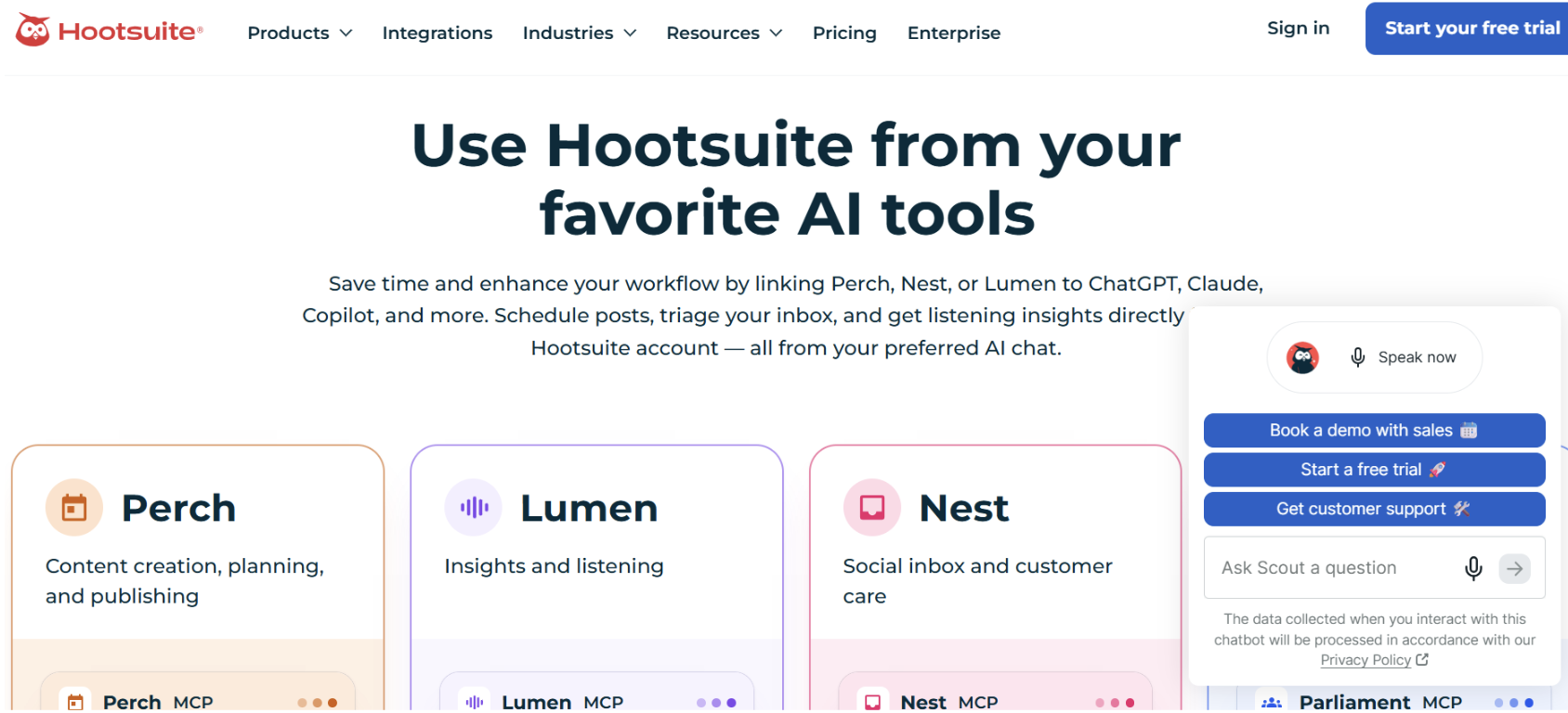
Hootsuite covers the widest workflow here: publishing, engagement, analytics, listening and customer care.
Its MCP is split by product rather than offered as one endpoint.
Perch handles content creation, planning and publishing.
Lumen covers insights and social listening.
Nest covers the social inbox and customer care.
Parliament covers employee advocacy.
So capability depends on which product you connect. Perch can draft and schedule posts, use the content library and review performance. Lumen answers questions about trends, sentiment, mentions and competitors.
Pricing: Standard is $99/user/month billed annually, with a 14-day free trial and no credit card required.
Use for: Publishing, social conversations, mentions, listening and performance review.
Best for: Larger teams that need publishing, engagement, listening and analytics together.
Good to know: Connecting one Hootsuite MCP doesn't grant the others. Each needs the matching product on the account, so a plan without listening won't gain it through Lumen.
5. Buffer MCP
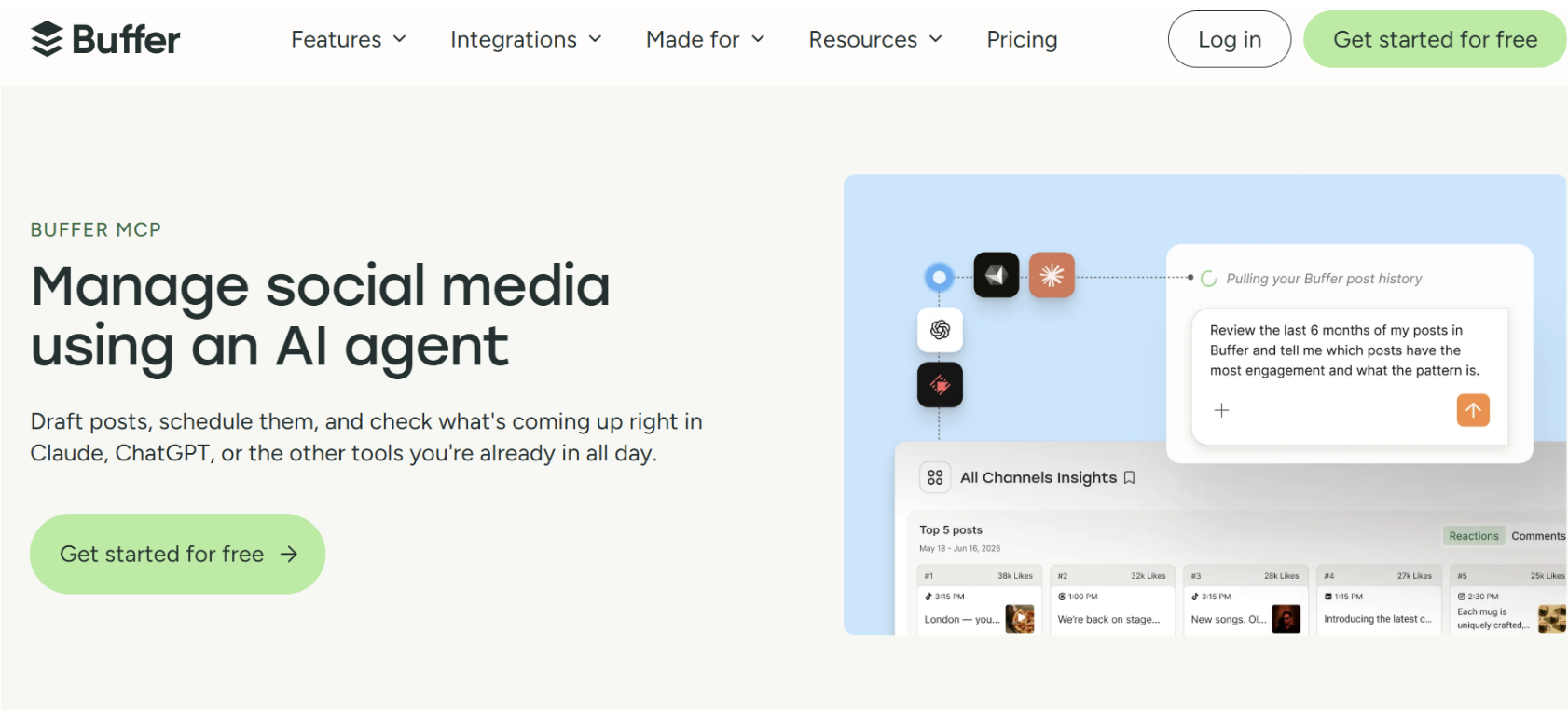
Buffer is the most straightforward option here for AI-assisted scheduling.
Its remote MCP server at https://mcp.buffer.com/mcp lets an assistant read connected channels, browse queues and drafts, create and edit posts, schedule content, capture ideas and pull post analytics.
Buffer's documentation is blunt about the risks. Write tools change data, most clients ask for approval first, create_post can publish immediately, and delete_post cannot be undone.
Pricing: Free for up to three channels. Essentials is $5/month for one channel billed annually, and paid plans have a 14-day trial.
Use for: Drafting, scheduling, managing queues, capturing ideas and checking performance.
Best for: Individuals and smaller teams who want a simple MCP scheduler.
Good to know: A Buffer API key reaches the account's organisations and channels, with no narrower scoping, so treat it like a password and leave write approvals on. MCP requests also count against Buffer's normal API rate limits.
6. Metricool MCP
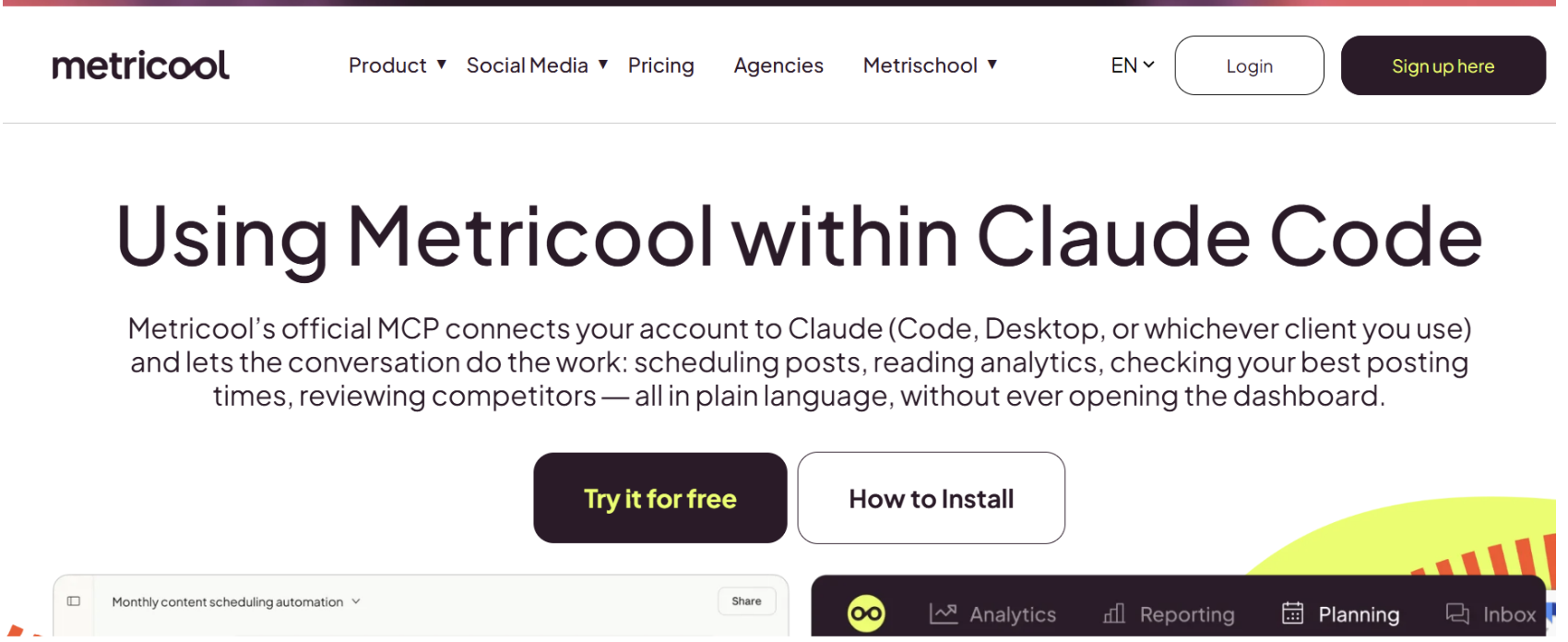
Metricool pairs social management with analytics, which suits workflows where creating and measuring sit close together.
Its MCP server runs at https://ai.metricool.com/mcp and works on every Metricool plan, including Free. Connection is OAuth for most clients, with a header token (X-Mc-Auth) for n8n, and the server itself is open source on GitHub and PyPI.
The separate Metricool API is limited to Advanced and Custom plans, which matters if you intend to pull metrics programmatically rather than through an agent.
That's a different route with different tradeoffs, and the social media analytics APIs comparison covers it.
Your plan limits carry over either way. On Free that means a cap of 20 scheduled posts and 30 days of analytics history, so an agent that seems to be failing may just be hitting the plan ceiling.
Pricing: Free plan with MCP access. Starter from $20/month.
Use for: Scheduling, analytics, competitor performance and best-time-to-post data.
Best for: Social media managers who want scheduling and analytics in one workflow.
Good to know: Metricool's docs say MCP uses the same permissions and authentication as your account, that access can be revoked at any time from account settings, and that your data isn't stored in the AI model.
7. ScrapeBadger MCP
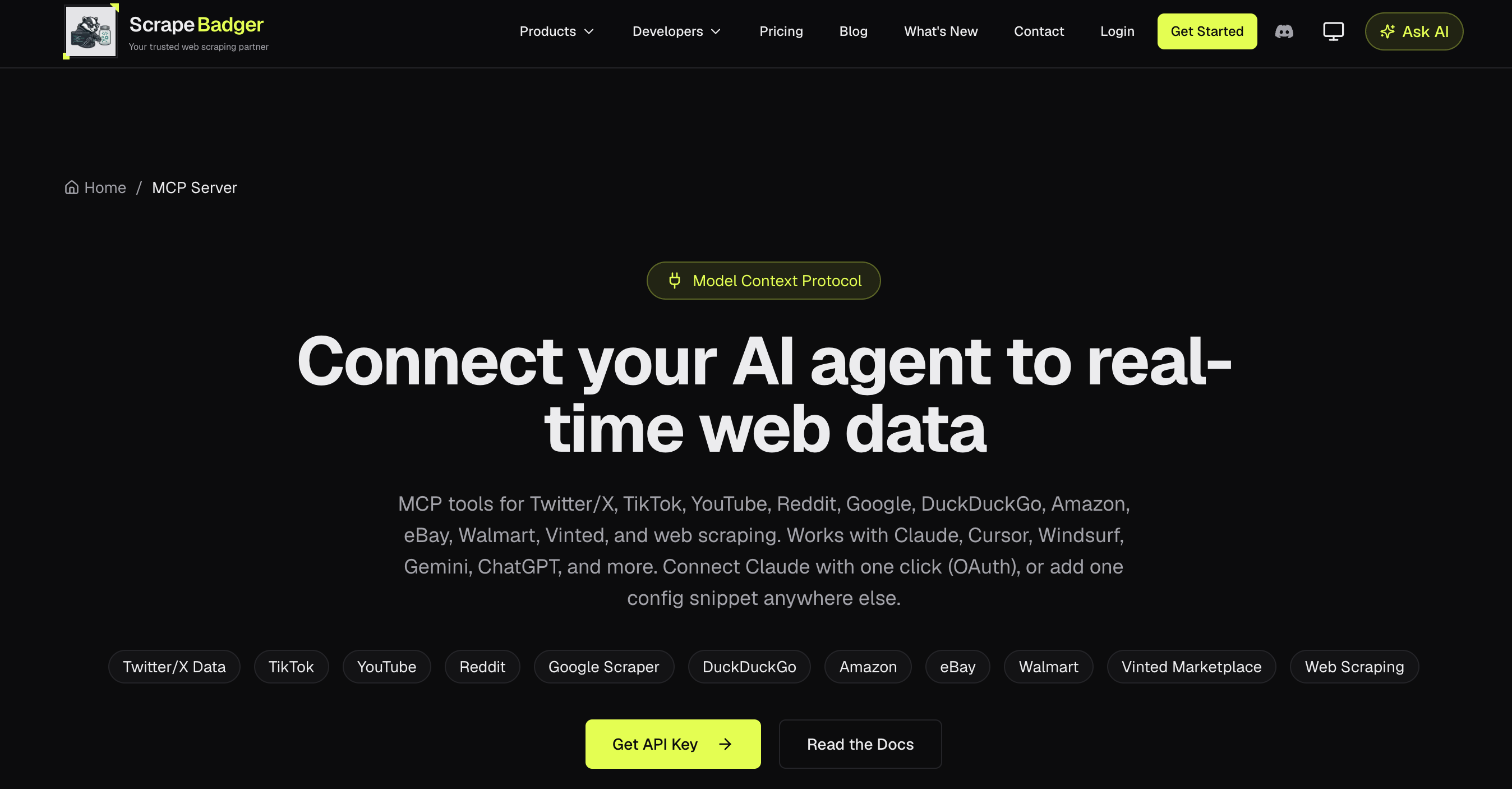
ScrapeBadger comes at social from the data side. It's a web scraping API whose MCP turns those endpoints into structured tools for agents, with OAuth or API-key authentication and a local option via npx or Docker.
The server exposes hundreds of tools across its wider product set. For social research that includes X data such as profiles, tweets, replies, mentions, followers and search, alongside TikTok, YouTube, Reddit and general web scraping.
It earns its place when an agent needs fresh public information before anything gets written.
Pricing: 1,000 free credits, no card required. Pay-as-you-go from $10, and prepaid credits don't expire.
Use for: Finding posts, researching accounts, monitoring conversations, analysing replies, discovering topics and collecting data for planning.
Best for: Research, monitoring, competitor analysis and topic discovery.
Good to know: No publishing. Its value is the information it feeds the agent before content exists.
8. Ayrshare MCP
Ayrshare is a developer-focused social API built for products and agents that publish across many networks.
Its agent offering exposes 27 tools spanning posting and scheduling, validation, post history, analytics, comments, messages, profiles and media.
These run through the same controllers, API-key authentication, plan limits and rate limits as the REST API.
Validation is the standout for agent workflows: the agent can check a post against platform requirements before trying to publish, instead of discovering the problem in a failed call. Historical posts are also available, which helps an agent match an existing brand voice.
Pricing: Premium is $149/month for businesses managing their own social presence. Launch is $299/month and adds user-facing automation, historical content, advanced analytics and higher API limits.
Use for: Building agents or SaaS features that publish, schedule, validate and analyse across networks.
Best for: Developers building social functionality into their own products.
Good to know: Premium is for your own accounts. If your product manages accounts on behalf of users, Launch or higher is the relevant tier, which changes the real starting price considerably.
Considering Ayrshare alongside PostPeer?
You can also check out our PostPeer vs Ayrshare comparison for a side-by-side look at pricing, features, platform support, and other key differences.
9. Upload-Post MCP
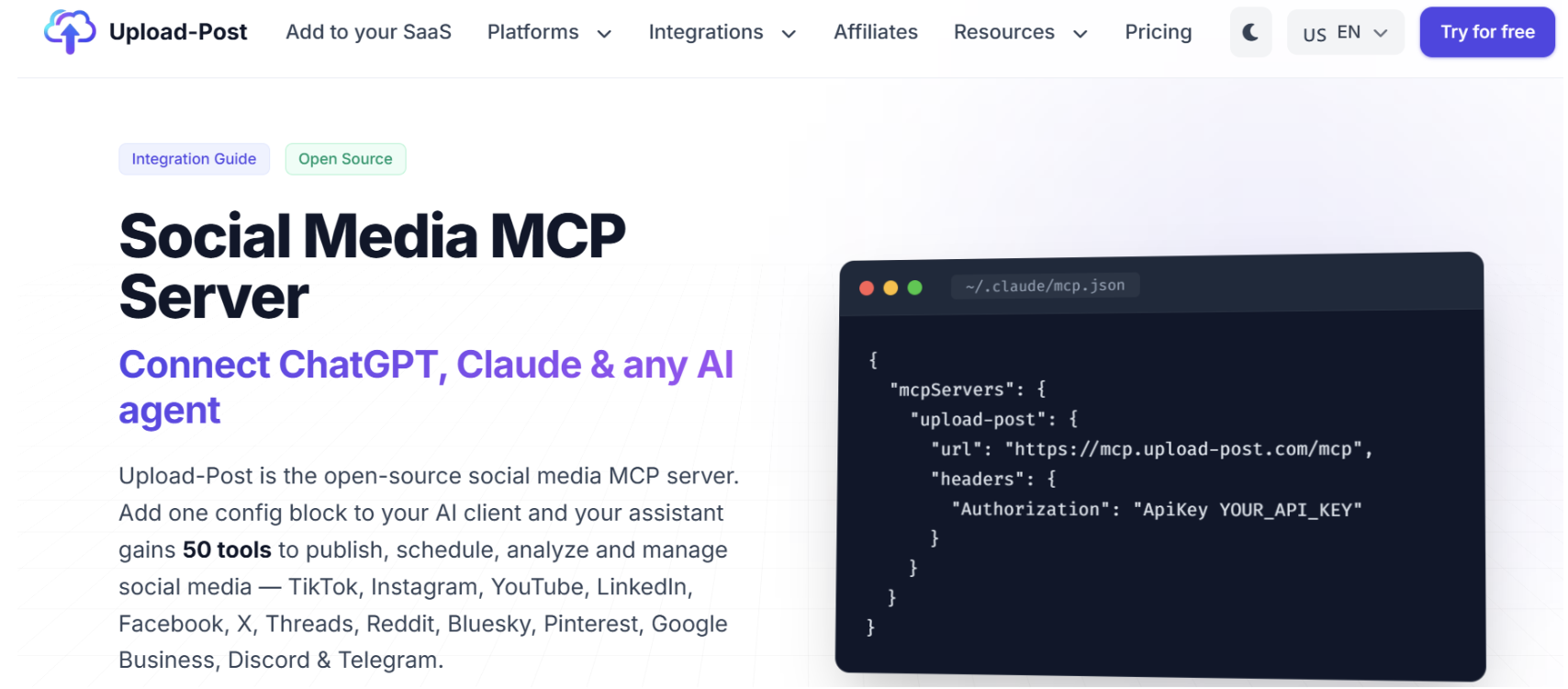
Upload-Post is a social publishing API with an open-source MCP server, run with npx -y @upload-post/mcp.
The server documents 50 tools for publishing, scheduling, analytics, account management, comments, DMs and media handling, across 22 networks including TikTok, Instagram, YouTube, LinkedIn, Facebook, X, Threads, Reddit, Bluesky, Pinterest, Google Business, Discord and Telegram.
Profiles are sub-accounts, each holding one account per platform, so five profiles means up to five TikTok accounts, five Instagram accounts and so on.
Want to see how Upload-Post compares with PostPeer? Check out our side-by-side comparison.
Pricing: Free gives 10 uploads a month across two profiles. Basic is $24/month, or $16/month billed annually, with unlimited uploads and five profiles.
Use for: Publishing and scheduling, managing accounts, analytics, comments and DMs.
Best for: Developers who want broad platform coverage from one MCP.
Good to know: TikTok posting isn't available on the free plan, so testing the most-requested platform means starting on Basic.
10. Sociality MCP
Sociality is analytics-first. Its MCP gives agents owned-account performance, post-level insight and competitor intelligence across Instagram, TikTok, LinkedIn, YouTube, X and Facebook, aimed at reporting assistants, benchmarking and internal copilots rather than publishing.
The connection is a remote HTTP server using OAuth, with documented setup for ChatGPT, Claude, Gemini, Claude Code, Codex and other MCP clients. Most tools are read-only; the main write action is adding a competitor to a workspace.
Credits map to units of value: one day of account metrics, one day of competitor insight, or one post with full detail.
Pricing: Free Starter with 1,000 one-time credits and 30-day data retention. Growth is $49/month with 2,000 credits and 12-month retention. Scale is custom.
Use for: Performance analysis, competitor benchmarking, reporting and feeding social data into AI workflows.
Best for: Teams focused on analytics and competitive intelligence rather than publishing.
Good to know: No publishing, so pair it with a publishing MCP if the agent needs to act on what it finds.
Which One Should You Pick?
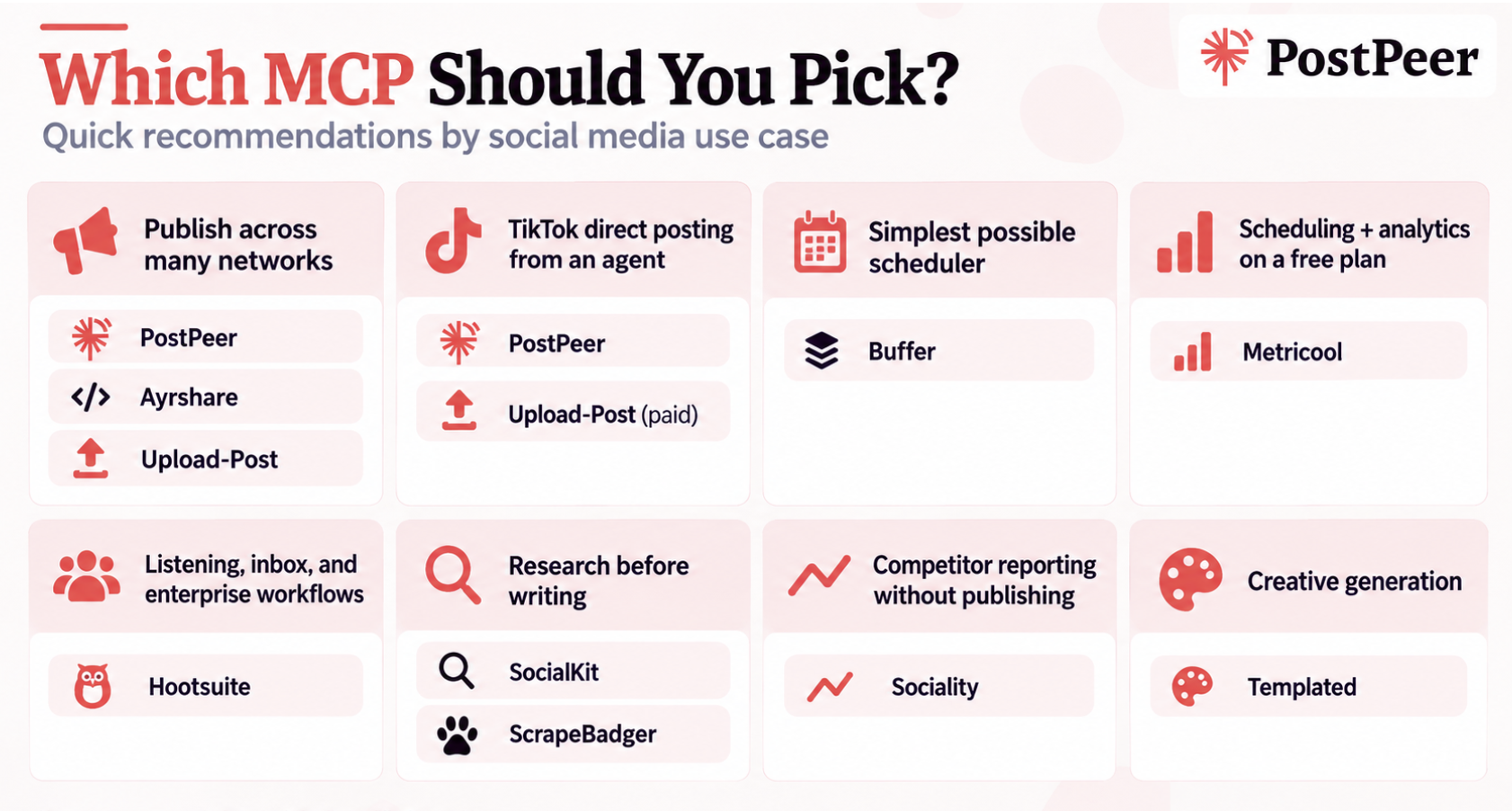
- An agent that publishes across many networks: PostPeer, Ayrshare or Upload-Post.
- TikTok direct posting from an agent: PostPeer, or Upload-Post on a paid plan.
- The simplest possible scheduler: Buffer.
- Scheduling plus analytics on a free plan: Metricool.
- Listening, inbox and enterprise workflows: Hootsuite.
- Research before writing: SocialKit for platform data, ScrapeBadger for wider web data.
- Competitor reporting without publishing: Sociality.
- Generating the creative: Templated.
Other Social Media MCP Servers Worth Knowing
The ten above cover this guide's workflow, but they aren't the whole market. Other social-focused MCPs currently documented include:
| MCP | Main capability |
|---|---|
| Pallyy | Drafting and scheduling, media imports, calendar notes |
| Agorapulse | Drafts, performance data, inbox, listening |
| Planable | Drafts and approvals |
| Postiz | Scheduling and publishing, self-hosted options |
| Publer | Scheduling and drafts through its MCP beta |
| SocialPilot | Draft, schedule, publish |
| Sprout Social | Read-only TikTok analytics |
| Typefully | Create, schedule and manage posts |
| Vista Social | Scheduling and publishing |
Names alone can mislead here. One server may support Instagram but only create drafts, while another schedules and publishes directly. The action level matters as much as the network list, so check each provider's own tool documentation.
What a Multi-MCP Social Media Workflow Looks Like
MCP works best as a set of connected capabilities rather than one server that does everything.
SocialKit or ScrapeBadger → research
Templated → creative generation
PostPeer → scheduling and publishing
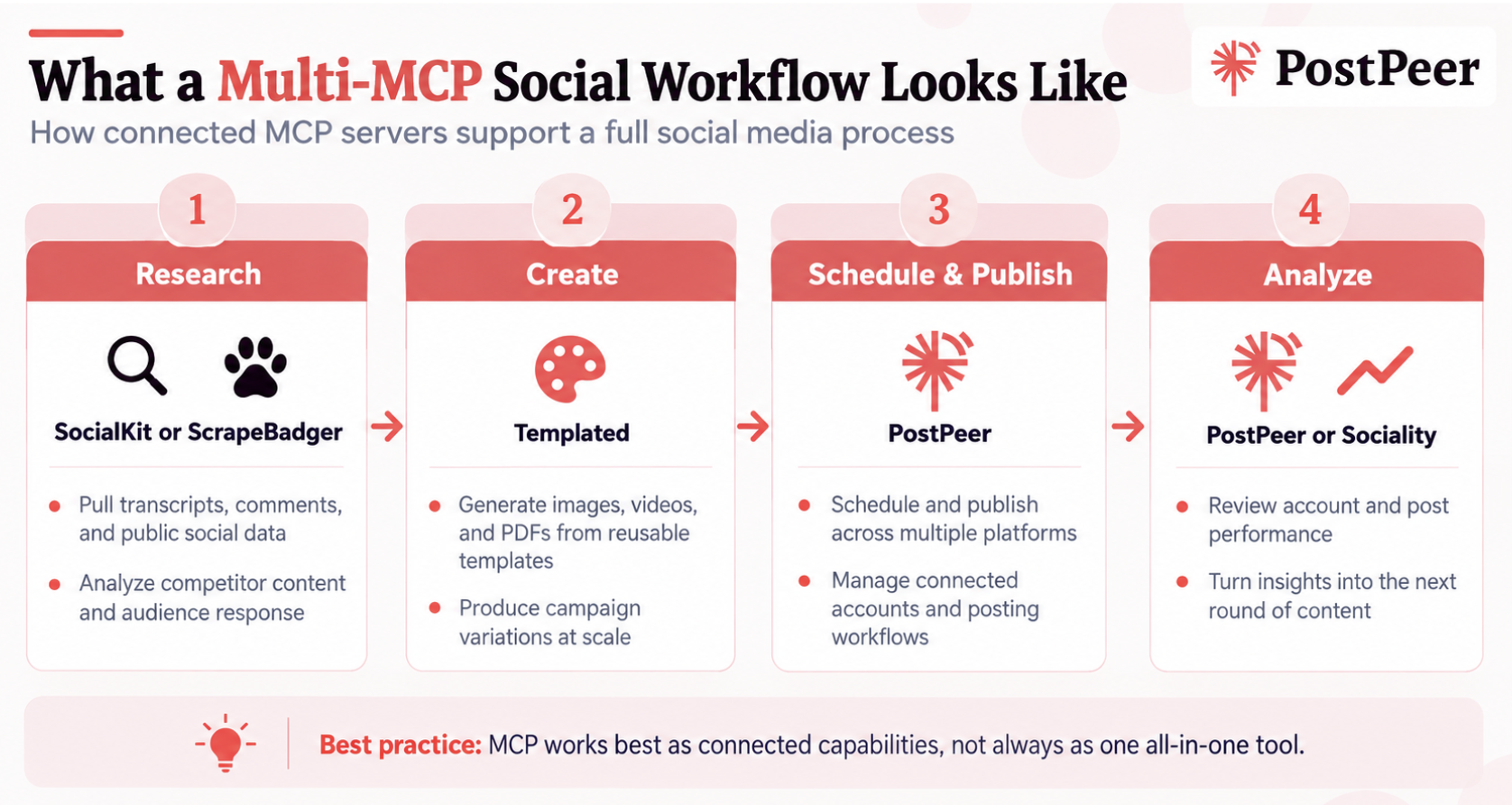
An agent researches competitor content and audience reaction, turns the findings into a post, renders an image variation from a social template, and sends the finished content to a publishing API.
The tools don't need to come from the same company, which is much of the point of a standard interface. The same split works outside an AI client too: a Pinterest workflow built in n8n takes rows from a Google Sheet, generates the pin images, and publishes them on a schedule, with creative and publishing handled by separate services.
All three MCPs document hosted connections, so this setup runs in any MCP-compatible client that supports multiple servers.
One practical limit sits on the client side rather than the provider side. Claude's free tier allows only one custom connector at a time, and Claude Code requires a Pro or Max subscription, so a multi-server setup needs a paid client plan.
How to Choose the Right MCP Server for Social Media Management
The right social media management MCP depends on what you want the agent to do.
Start with the workflow
Map it out: Research → Create → Review → Schedule → Publish → Analyse. You may want one server for all six steps, or several specialists. Connecting different tools as different capabilities to the same agent is where MCP pays off compared with a standalone content generator.
Check the write level
This is the biggest difference between servers. Can it read data, create drafts, request approval, schedule, publish immediately, or delete and modify existing posts? "Supports Instagram" tells you nothing until you know which of those it can do with an Instagram account.
Check authentication and scope
Hosted servers have the least setup friction. OAuth simplifies account authorization; API keys suit automated and server-side work. Some providers, PostPeer among them, support both, with OAuth for clients that expect a sign-in and keys for server-side setups.
Also check whether access can be limited to specific accounts or workspaces, and how quickly it can be revoked.
Check the server type
Remote servers need only a URL in your AI client. Local or self-hosted servers run on your own machine or infrastructure, usually through npx or Docker, which matters when you need deployment control. Templated, Upload-Post and PostPeer all document local or self-hosted options.
Look at rate limits and the pricing model
An agent makes far more calls than a person clicking through a dashboard. Check whether you're charged by API calls, credits, channels, profiles, connected accounts, data volume or subscription, and check the rate limits before you build anything recurring.
Test one real task first
Research a competitor, turn the findings into a post, create the visual, schedule it, then pull the performance data a week later. One complete pass tells you more than any feature list.
FAQs
What is a social media MCP server?
A social media MCP server gives an AI agent a standardized way to access social media tools, data or actions.
Depending on the provider, that can mean publishing, scheduling, analytics, competitor research, comments, messaging or creative generation.
The difference from a plain AI content generator is that the agent can act on external systems instead of only returning text.
What social media tools have MCP integration for AI agents?
The social-focused tools in this guide are PostPeer, SocialKit, Hootsuite, Buffer, Metricool, ScrapeBadger, Ayrshare, Upload-Post and Sociality. Templated covers the creative side, generating assets that a publishing tool then uses.
Which MCP servers can schedule and publish directly to social media?
PostPeer, Hootsuite, Buffer, Metricool, Ayrshare and Upload-Post all publish or schedule through their MCP integrations, though networks, formats and permissions differ between them.
Some other servers create drafts only, leaving a human to publish. Check the provider's tool list rather than assuming publishing is included.
What is the difference between a social media MCP server and a social media API?
A social media API is a programmatic interface that lets software talk to a social platform or service. MCP is a standardized interface that lets AI clients discover and call tools.
They work together. The API provides the publishing or analytics capability, and the MCP exposes it in a form an agent can call. For more on the API side, see PostPeer's guide to social media posting APIs.
Can I connect multiple MCP servers to one AI agent?
Yes, if your AI client supports multiple connections. A practical setup is SocialKit or ScrapeBadger for research → Templated for creative generation → PostPeer for publishing.
One tool supplies the information, another creates the asset, and another schedules or publishes it.
Note the client-side limits above: some free AI plans allow only one custom connector at a time.
Can MCP servers work with ChatGPT, Claude and other AI agents?
Compatibility depends on both sides. Hootsuite documents ChatGPT, Claude, Copilot and Gemini. Sociality documents ChatGPT, Claude, Gemini and Claude Code.
Metricool documents ChatGPT, Cursor, Claude Code, Claude Desktop via mcp-remote, n8n, Make and Zapier.
PostPeer documents Claude, Cursor and ChatGPT, with OAuth for clients like ChatGPT that expect a sign-in flow and access-key authentication for the rest.
Support also reaches past the best-known clients. PostPeer documents setups for Hermes Agent and OpenClaw alongside Claude and ChatGPT, which is worth checking if your agent runs somewhere less mainstream.
So before settling on a social media MCP integration for AI agents, check the provider's setup docs and your client's supported connection method.
Are social media MCP servers safe?
They can be, but an MCP is an access layer to your real accounts. Check who maintains it, whether it's official, whether it uses OAuth or an API key, which accounts and workspaces it reaches, which actions need approval, how credentials are stored, and how fast you can revoke access.
When possible, prefer official MCP servers provided or maintained by the platform itself over community-built servers. Community MCP servers are often developed and maintained by independent developers, so the level of maintenance, security oversight, and reliability can vary.
Postman's 2025 report found 51% of developers are concerned about unauthorized or excessive API calls from AI agents, 49% about AI accessing sensitive data, and 46% about leaked API credentials.
Those concerns get sharper when the agent can publish, delete or message from your accounts.
Are social media MCP servers free?
Some are. PostPeer has a free plan with 20 credits, Buffer has a free plan, Metricool includes MCP on Free, Sociality has a free MCP tier, and SocialKit, Templated and ScrapeBadger all give free credits.
Free access isn't unlimited automation, though. Check the plan's limits on accounts, channels, credits, analytics history and publishing actions, and note which platforms are excluded on free tiers.
Do I need coding knowledge to use a social media MCP server?
Not necessarily. Many hosted servers connect by adding a URL and signing in, and some can be added straight into a chat interface as a custom connector.
Developer-focused setups still need API keys, config files, environment variables or a local server. Which one you face depends on the provider and the client.
Conclusion
MCP moves AI agents from writing about social media to working in it, researching, creating assets, scheduling, publishing and reporting back.
No single server has to do all of it.
Research can come from SocialKit or ScrapeBadger, creative from Templated, scheduling and analytics from Buffer or Metricool, intelligence from Sociality, team workflows from Hootsuite, and developer-grade publishing from Ayrshare or Upload-Post.
PostPeer sits at the publishing and management layer, giving agents one hosted MCP for publishing, scheduling, account management and analytics across networks, without a separate integration per platform.